

Satellic Purchase Instructions
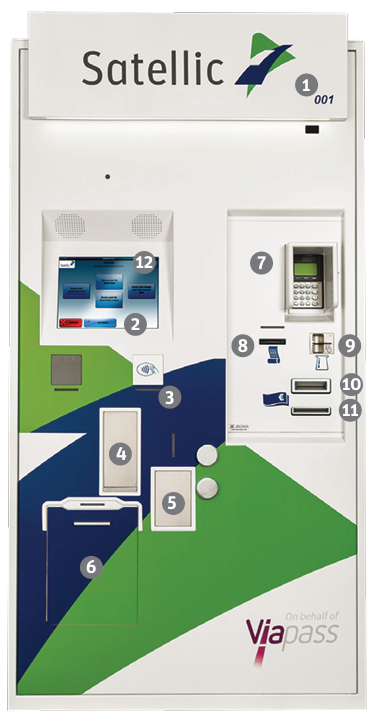
Practical guidelines for your visit to a Satellic Service Point
- Toll Terminal ID number
- Touch screen
- RFID reader to scan OBU
- OBU dispenser for new OBU
- OBU return box for old OBU
- Document scanner
- Payment terminal
- Ticket printer
- Fuel / Credit / Debit Card Slot
- Note slot to pay with cash
- Change dispenser
- Customer support phone number
Get an OBU
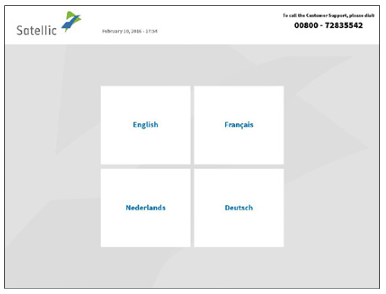
- Select your language.
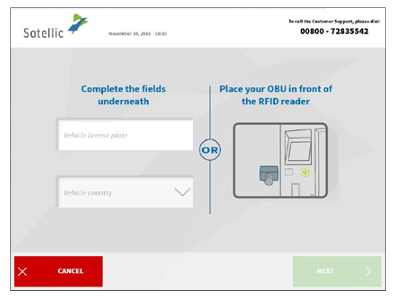
- Enter license plate number & country + click ‘NEXT’.
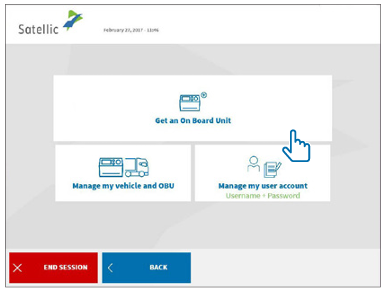
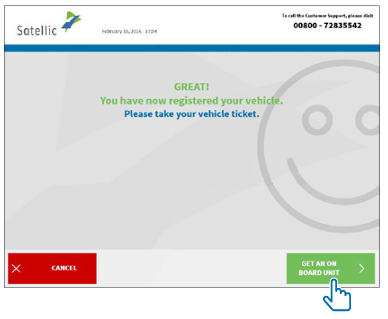
- Click ‘Get an OBU’.
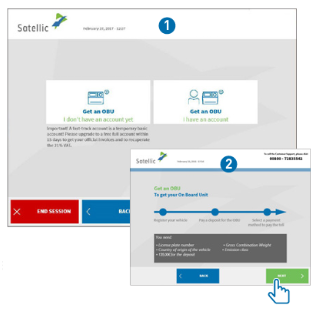
- Click ‘Get an OBU without account’ click ‘NEXT’ 1 , then 2.
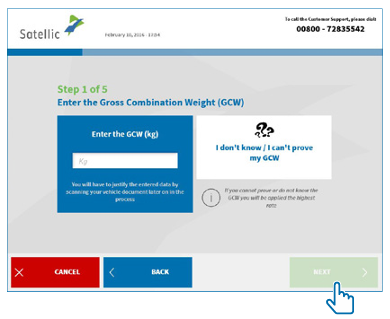
- Enter the Gross Combination Weight Rating and click ‘NEXT’.
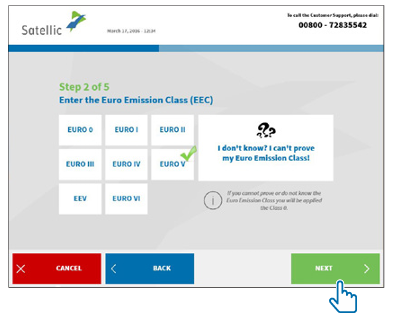
- Enter the EURO emission class and click ‘NEXT’.
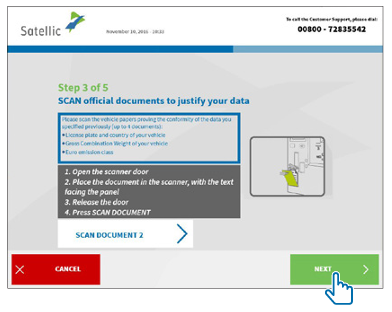
- Place the document in the scanner, with the text facing the glass. Close the door and click ‘Scan document 1’. Remove the document after scanning it. Click ‘CONTINUE’ on the next screen.
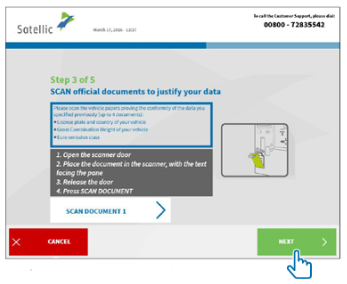
- Click ‘Scan document 2’ to scan another document, or click ‘NEXT’.
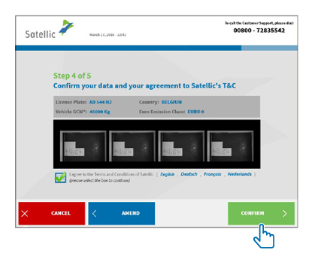
- Click the tick box to agree to the terms and conditions and click ‘CONFIRM’.
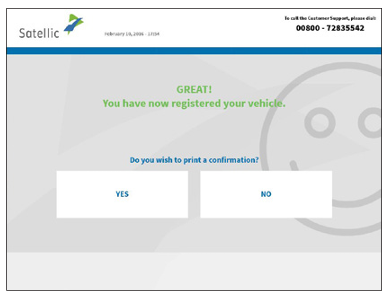
- Click ‘YES’ if you want to print the confirmation, or click ‘NO’.
- Click ‘Get an OBU’.
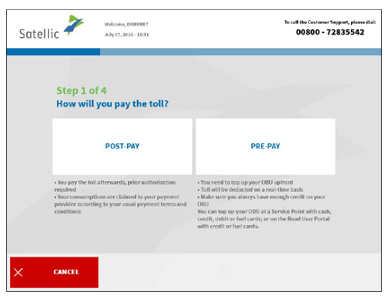
- Choose payment method for the toll. In this procedure we explain pre-paid.
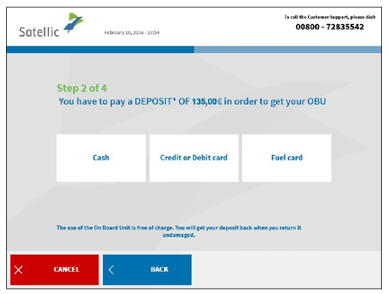
- Choose payment method for the deposit of the OBU (135 €).
- Pay deposit (cash or card) and follow instructions on pay terminal.
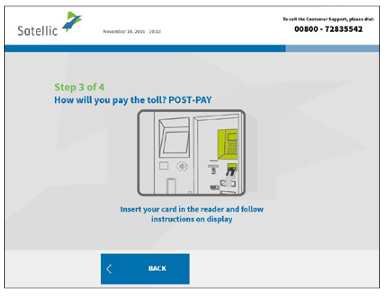
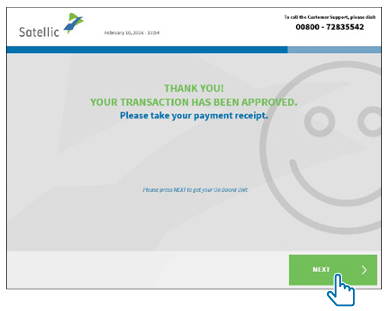
- Please take your payment receipt and click ‘NEXT’.
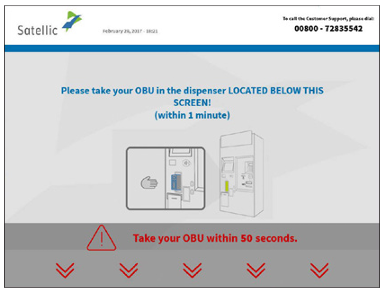
- Take out the OBU within 1 minute.
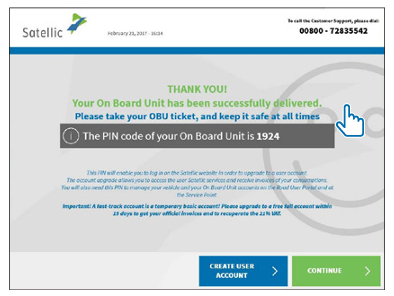
- Take your OBU ticket (Keep the PIN code with you at all times!) and click ‘CONTINUE’.